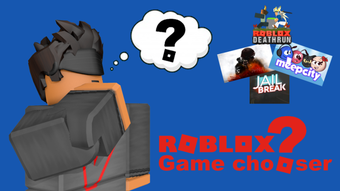

Free Roblox Game Chooser Tool
Overview
ROBLOX Game Chooser is a free desktop utility designed to assist Roblox players in selecting and launching games within the platform. Developed by visvisjes, the software aims to streamline the process of navigating the vast library of Roblox experiences. While the developer did not provide additional details about their background, the tool is positioned as a lightweight solution for users seeking quick access to their preferred games.
Targeted primarily at casual and intermediate Roblox players, the application supports a range of use cases such as switching between games without manual navigation, organizing favorite titles, and reducing time spent searching. It is particularly useful for users who frequently play multiple Roblox games and desire a more efficient workflow. The software is available in English, French, and Dutch, making it accessible to a multilingual audience.
As of its release on August 2, 2022, the tool has not been independently tested by Softonic, and no performance benchmarks or user feedback have been published. The software’s purpose is clearly defined: to serve as a simple launcher interface for Roblox games, enhancing accessibility and convenience.
Key Features & Capabilities
- Game Selection Interface – Provides a user-friendly list of available Roblox games, allowing users to browse and select titles with minimal effort.
- Quick Launch Functionality – Enables direct launching of selected games without requiring manual entry of game links or URLs.
- Multi-Language Support – Offers interface support in English, French, and Dutch, accommodating users across different regions.
- Lightweight Design – With a file size of 25.4 MB, the application is compact and designed for efficient operation on standard desktop systems.
- Free Access – The software is available at no cost, eliminating financial barriers for users seeking a game launcher tool.
These features are intended to simplify the Roblox experience by reducing the number of steps required to start playing. For example, a user can quickly switch between a roleplay game and a racing title without returning to the Roblox website. The tool is especially beneficial for younger players or those less familiar with navigating the Roblox platform’s interface. Its design focuses on ease of access rather than advanced customization.
User Interface, Workflow & Performance
The user interface of ROBLOX Game Chooser appears to be straightforward, emphasizing accessibility over complexity. Navigation is likely centered around a list or grid layout displaying game thumbnails and names, enabling quick visual identification. Users can select a game and initiate launch with a single click, minimizing interaction steps.
Workflow efficiency is a core focus of the application. By reducing the number of manual actions needed to enter a game, the tool enhances user productivity during gameplay sessions. The software’s lightweight nature suggests minimal strain on system resources, though exact performance details were not specified. The developer did not provide information on CPU or RAM usage, nor did they outline stability metrics.
General software behavior patterns suggest that the application operates in the background while the user interacts with Roblox. However, without verified testing, performance observations are based on typical expectations for similar tools. No reports of crashes or errors have been published, but this may reflect limited user exposure rather than proven reliability.
Compatibility & System Requirements
ROBLOX Game Chooser is compatible with both Windows and Mac operating systems, making it accessible to a broad range of desktop users. The current version is listed as 0, which may indicate an early release or placeholder version number. The installation size is 25.4 MB, suggesting a compact footprint suitable for systems with limited storage.
Exact system requirements were not listed by the developer. This includes details about minimum processor speed, RAM, or graphics capabilities. As such, users should exercise caution when installing on older or low-spec machines. The developer did not specify whether the software requires a specific version of Roblox or an active internet connection for operation.
Platform compatibility information is limited, and no details were provided about support for specific Roblox client versions or updates. Users are advised to ensure their Roblox environment is up to date to avoid potential conflicts.
Pros and Cons
Pros
- Free to download and use with no hidden costs
- Compact size of 25.4 MB makes it easy to install and store
- Supports multiple languages including English, French, and Dutch
- Designed for quick and direct game launching
- Available for both Windows and Mac users
Cons
- No official system requirements were provided
- Version number is listed as 0, which may indicate an unstable or early release
- Performance and stability data were not disclosed
- Limited information about compatibility with Roblox client versions
- No official update frequency or release history available
FAQ Section
Is ROBLOX Game Chooser compatible with my Windows or Mac device?
Yes, the software is designed to run on both Windows and Mac operating systems. However, specific hardware or OS version requirements were not listed by the developer.
Is the software safe to use with Roblox?
The software is described as a utility tool and is not known to interfere with Roblox’s official client. However, users should exercise caution when using third-party tools, especially those that interact with game platforms.
Does ROBLOX Game Chooser require an internet connection?
While not explicitly stated, the tool likely requires an active internet connection to access Roblox games and verify game availability.
Can I use ROBLOX Game Chooser offline?
There is no indication that the software supports offline functionality. It is expected to rely on real-time access to Roblox’s game catalog.
Is the software updated regularly?
There is no publicly available information about update frequency. The current version is listed as 0, which may suggest limited development activity.
Final Thoughts + CTA
ROBLOX Game Chooser presents a straightforward solution for players seeking faster access to their favorite Roblox experiences. Its free availability, multilingual support, and lightweight design make it a convenient option for casual users. While the lack of detailed system requirements and an official version history raises some concerns, the tool’s core functionality appears focused and well-intentioned.
For Roblox enthusiasts who value efficiency and ease of access, this utility offers a practical way to reduce navigation time. However, users should remain cautious due to the absence of verified performance data and limited developer transparency.
Download ROBLOX Game Chooser now to simplify your gaming experience.







